



Overview – Activity Trainer – Video Modeling Software

The Activity Trainer is a powerful software program that makes the research-based, effective Video Modeling teaching method practical for the classroom and home. The Activity Trainer is a versatile teaching tool that enables teachers to use videos to teach almost any targeted activity or skill – from simple to complex – and includes a library of activities with options to customize, modify, and create new activities.
Video modeling has been shown in numerous studies to improve acquisition rates across a wide variety of tasks for individuals with autism and other learning disabilities. Unfortunately, because video modeling is a difficult process, few of our students are benefiting from this powerful teaching method. The Activity Trainer in the first tool designed specifically to make video modeling easy.
Valuable Benefits
- First Software to make video modeling practical and easy for at school and home. No more fumbling around with video tapes, CDs, or DVDs trying to find a section of the video to play or replay.
- Research Based: Almost 2 decades of research showing Video Modeling to increase acquisition rates for wide variety of skills for individuals with autism and other learning disabilities.
- Activity Skills Library provides hundreds of videos with still images, audio, text, and worksheet resources to teach hand-on skills including Academic, Daily Living, Communication, Social, Recreation, and Vocational Skills. You will get many more activities that we create for the Skills Library as part of the free updates in the first year after purchase.
- Unlimited Students with individualized videos and resources with prompt levels targeting specific student needs. The AT remembers where each student is on each activity to make it easy for us to work on many skills across a classroom of students.
- User Library: Create your own activities
- Data Collection includes automatic date/time stamp and run count of videos, provides for addition of notes, and allows for easy recording of results for prompt level required for student success on each run (Independent, Shadow, Gesture, Verbal, Physical) with choice of intensity levels 1-5.
- Expert Task Analysis is built in to the activities so that teachers, teaching assistants or parents can implement powerful teaching methods with a few clicks of the mouse.
 Activity Schedules can be created to help student use newly learned activities and skills in a structured visual schedule format. Schedule is configurable to meet student needs. Classroom view allows for students to take turns completing their specific schedules.
- Add Your Own Videos to the Activity Trainer under the User Library under the Activity Library Tab. This feature allows the user to customize targeted activities for specific settings, procedures, and materials.
- Help Videos are available from the Main Menu or by clicking on the Red “?” on each page.
- Robust and Affordable: Priced as a cost effective solution for a wide range of students
- $199 Standard Home Bundle or $149 Single Student Bundle
- $499 Standard Institutional Bundle (Single Computer, Unlimited Students)
Powerful Environment to Teach Skills
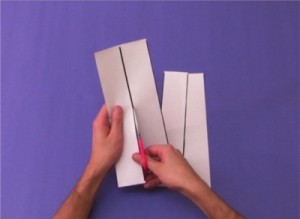
You use the videos to teach new skills, and then transition the student to less supportive prompts like images or text. Prompts include Video, Images, Text, and Audio and can be tailored to meet individual learning needs and levels. The activity trainer allows you to play portions of the video, view snapshots from the video, view related text, and associate alternate audio instructions. The video, images, text, and audio can be changed or tailored to accommodate individual student’s needs.
Next Generation Video Modeling
By allowing integration of video, audio, images, and text into predefined presentations, the Activity Trainer takes Video Modeling to a new level of capability.
Simple to Administer

Once students are created on the AT, and activities are selected for the students, teaching skills is simply a few clicks away. No more scanning through videos to find the portion to play. The task analysis is already done so even a person not trained in task analysis (breaking down an activity into steps) can easily perform systematic teaching of complex tasks for the student.
Data Collection
Data collection features allow the user to track student performance. The AT automatically collects the activity name, the prompt, when played, and how long it took. You can add the result and any associated notes while the trial is going on or afterward.
Visual Schedules
You can set up computer based schedules for the student to use learned activities. The Schedules can be set to allow the student to self-select activities or to follow a set schedule. Student photo image, icon, or symbol can easily be incorporated into the visual schedule. With the computerized schedule system, you can easily control how many times the student gets access to an activity and how many times the student can cycle through the entire schedule. You can also print off the images to do off computer visual schedules.
Activities Library

The Activity Trainer comes with a library of ready to use activities and one year of updates and support. Customers can download additional activities for a year as part of the purchase. We shoot our videos mostly from the student’s perspective which means the student does not have to translate the skill into their own perspective. This perspective allows a lower functioning student to learn the skill while also working for higher functioning students. We also model self talk which allows the student to associate the language corresponding to the activity or step. As of March 2008, the Activities Library activities were mostly preschool and early elementary level and included:
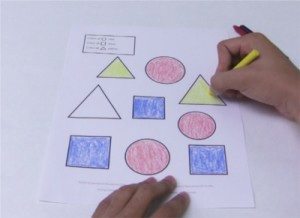
- Academic: Coloring Activities, Copying Lines and Shapes, Activities with Clay, Connecting Links, Stringing Beads, Tracing Lines and Shapes, Sorting Blocks
- Communication: Identifying Left and Right Hand
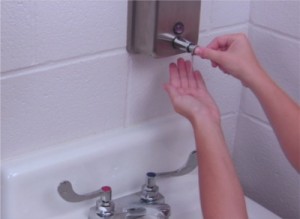
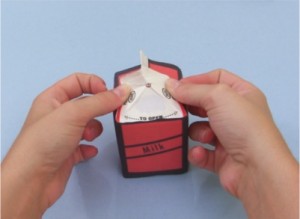 Daily Living: Folding Towel and Washcloth, Wiping off surface, Wringing out Sponge and Towel, Washing Dishes, Opening and Closing Binder Rings, Putting Paper in Folder, Folding Paper in Half and Thirds, Straightening Papers, Stapling Papers, Removing Staple, Getting Piece of Tape, Taping Rip, Open Reclosable Bag, Open Bottle, Buckle Belt, Button and Unbutton Pants, Snap and Unsnap Pants, Zip and Unzip Pants, Tying Shoes with Single and Two Loop Methods, Brushing Long Hair, Identifying Clean and Dirty Hands, Setting Time Timer from 1 to 30 Minutes
- Nonverbal Imitations: Bouncing Ping Pong and Rubber Ball, Arms Up, Clap Hands, Touching (Head, Knees, Nose, Shoulders, and Toes), Sit Down, Stand Up, Turn Around, Oral Motor (Bite, Blow Air Through Lips, Kiss, Lips Together, Open Mouth, Pucker, Smile, Stick Tongue Out, Tongue Side to Side, Tongue Up and Down, Top Teeth over Lower Lip, Touch Top Teeth with Tongue)
- Recreation: Positioning Bike Pedal, Stack Blocks, Finding Straight Edge, Separating Straight Edge Pieces, Playing with Toy Car
- Social: Initiate Hello-Hello Standing and Walking, Respond to Hello-Hello Standing and Walking, Initiating Hi-Hi Standing and Walking, Responding to Hi-Hi Standing, Initiating and Responding to How Are You – 3 Part Exchanges
- Vocational: Bag Parts
Build Your Own Activities
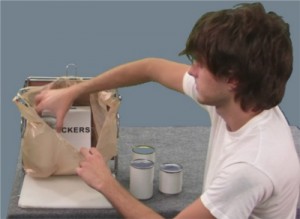
The Activity Trainer has a User Library area for customers to create their own activities. Create from simple video activities that are just played in full, to activities that include predefined task analysis and transitions from videos to images and text. Activities can also contain one or more versions of printable worksheets.
Affordably Priced

The Activity Trainer is priced affordably so that it is a cost effective solution for a wide range of students, and not just the most expensive to educate. This is a large and robust package with one year of updates at a modest price point. Our pricing is intended to help make the Activity Trainer a standard package in appropriate classrooms and home settings.
Training
The Activity Trainer comes with training videos and there are also prerecorded and live web based training sessions available.